Setup guide

Two steps to live.
No code required.

Getting started takes just two steps: install the app and enable the app embed. After that, everything below is optional configuration you can set up whenever you need it.

1

Install & enable the app embed

Getting live takes two quick steps. Once the app embed is on, the Notify Me button appears automatically on your theme, no code, no developer.

1. Install the app

Open the Alert Me! App Store listing, click Install, and approve the permissions. You'll land on the Alert Me! dashboard inside your Shopify admin.

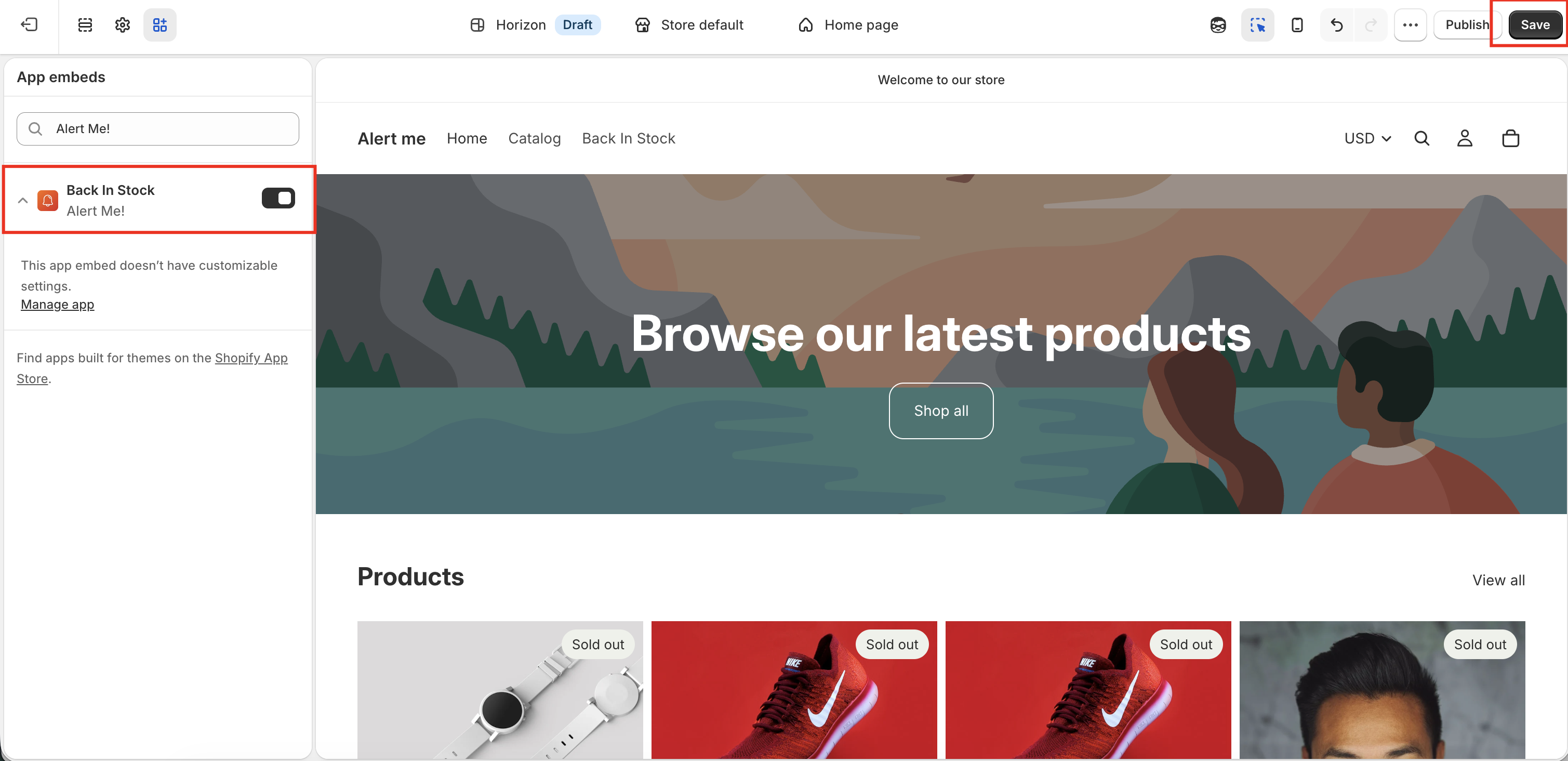
2. Enable the app embed

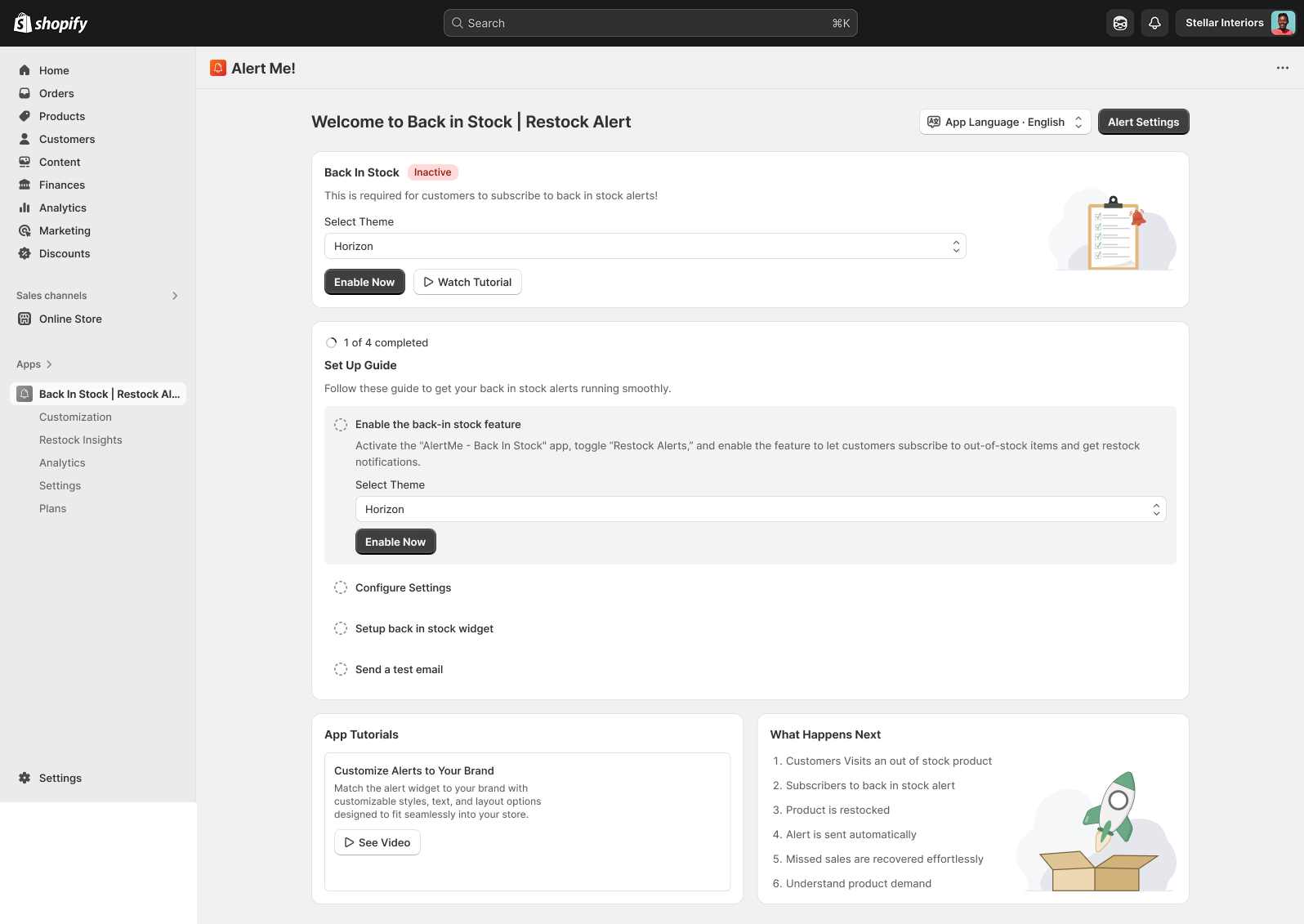
On the dashboard, open the App embed card, choose your live theme, and click Activate. Toggle Alert Me! on in the theme editor and click Save. The Notify Me button now shows automatically on out-of-stock products in that theme.

!

If you run multiple themes, enable the embed on the one currently published to customers.
Settings & configuration

Everything below is optional, set it up in any order, whenever you need it. The defaults work out of the box.

Alert settings All plans

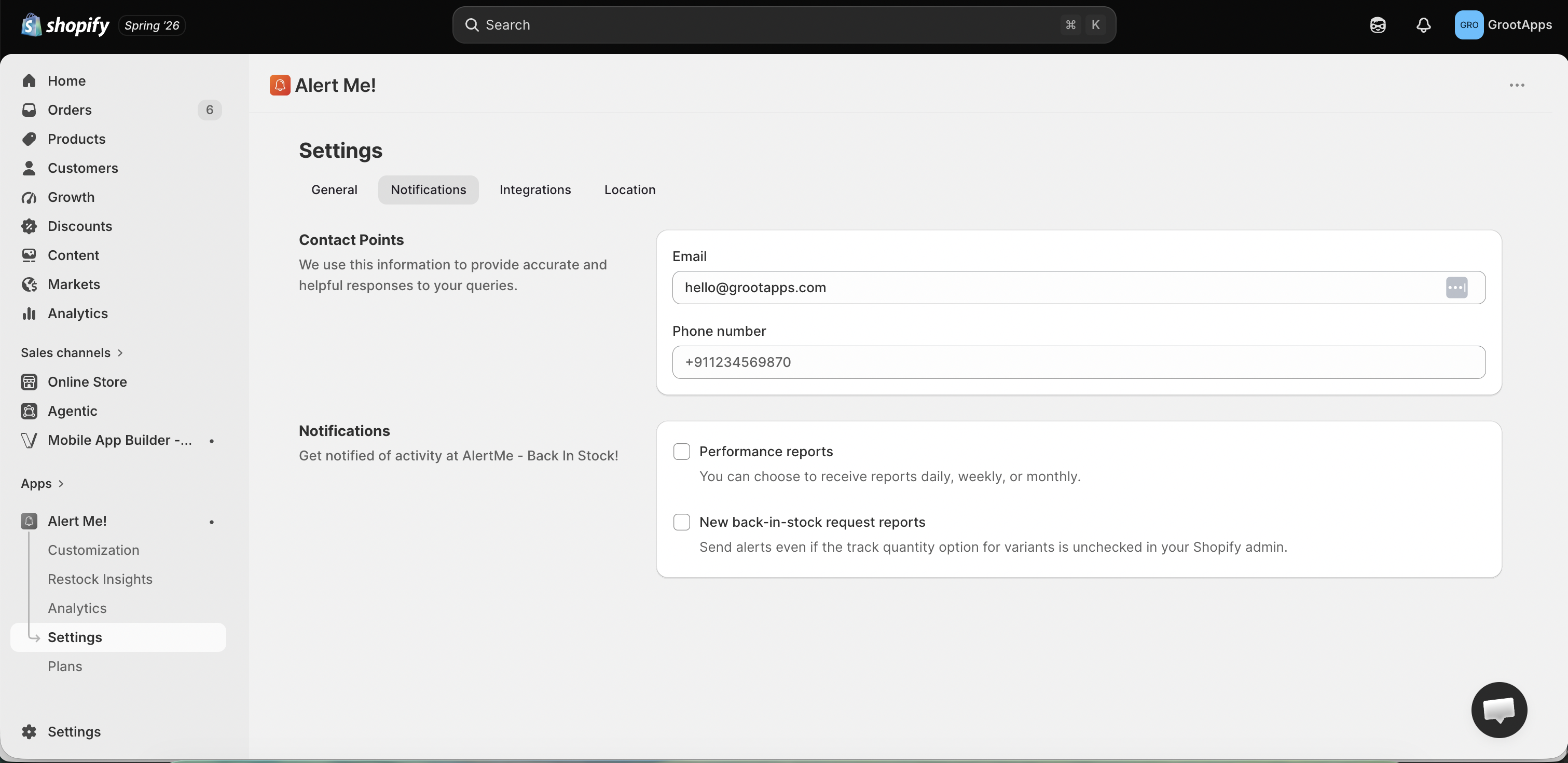
Open the Back in Stock module to control which products qualify and how alerts are delivered.
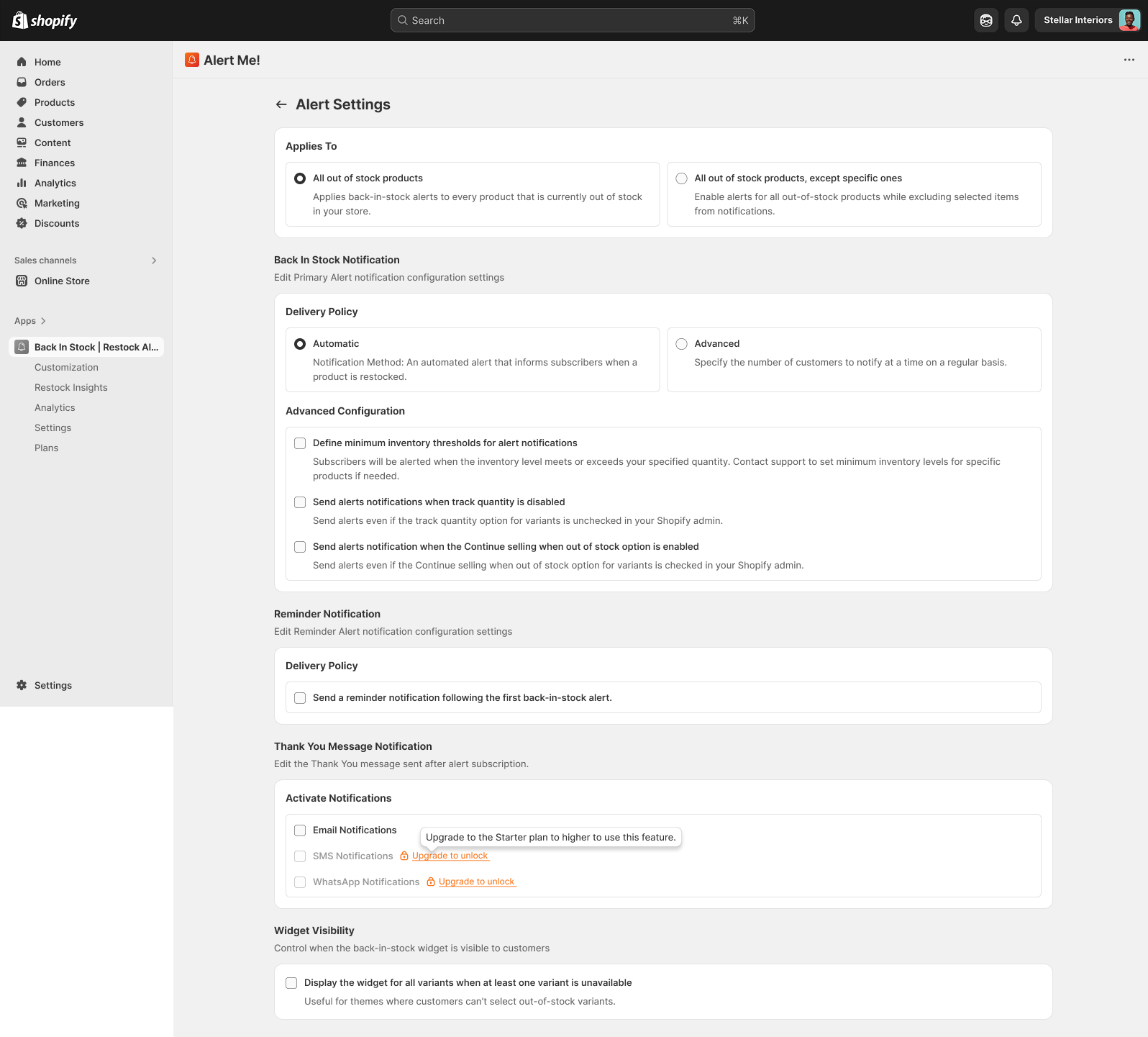
  • Choose which products alerts apply to, all out-of-stock items or specific exclusions
  • Set the delivery policy: automatic, or batched to avoid overselling on restock
  • Turn on the reminder alert for shoppers who don't open the first message
  • Turn on the thank-you message shown right after a shopper subscribes
Alert settings

Customize the button & popup All plans

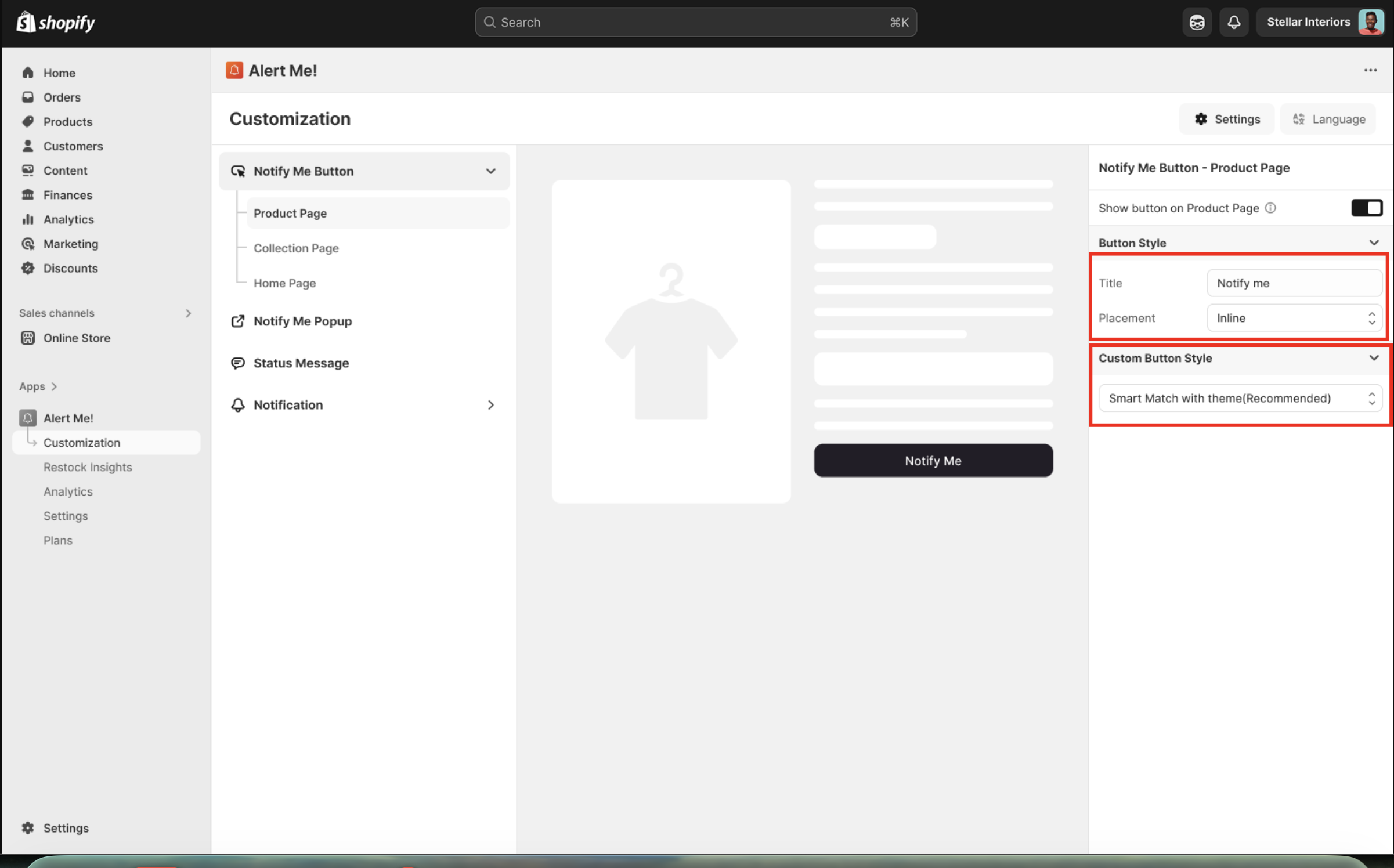
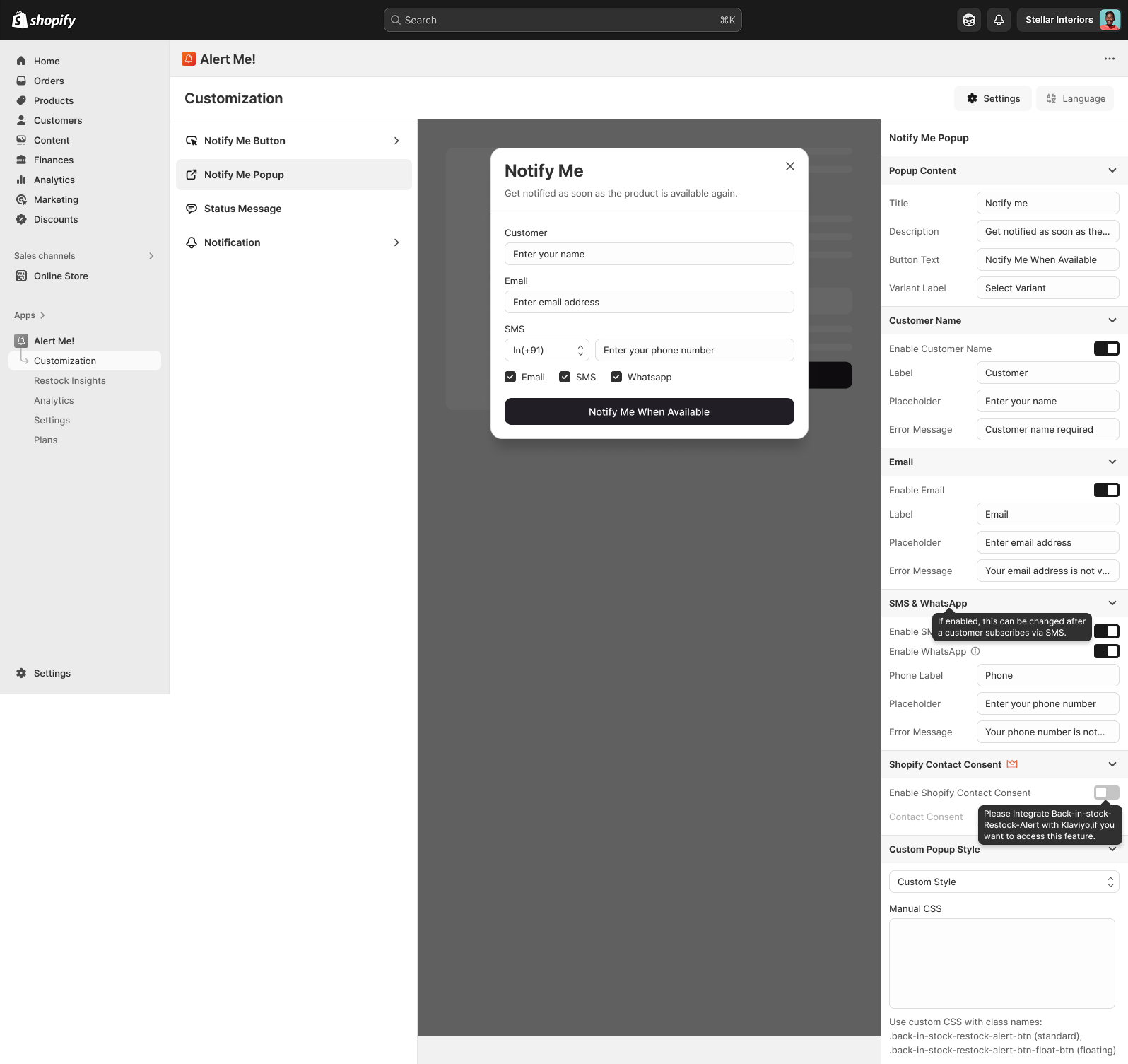
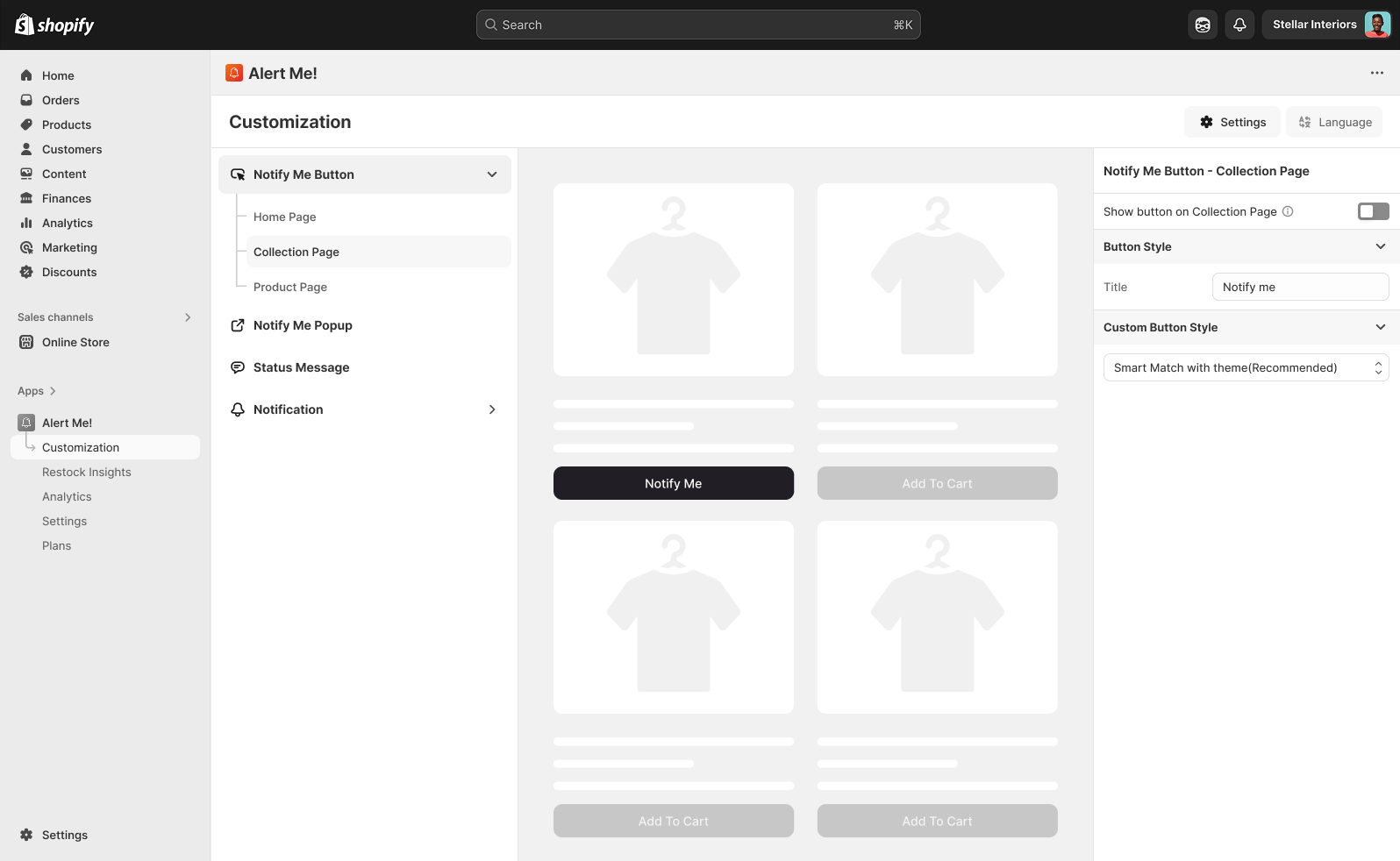
From Customization, style the Notify Me button and popup to match your brand. The live preview updates as you edit.

  • Style the Notify Me button, popup, and status message
  • Smart-match your theme automatically, or set custom colors and text
  • Edit the email, SMS, and WhatsApp templates shoppers receive
  • Preview on both desktop and mobile before saving

Page placement All plans

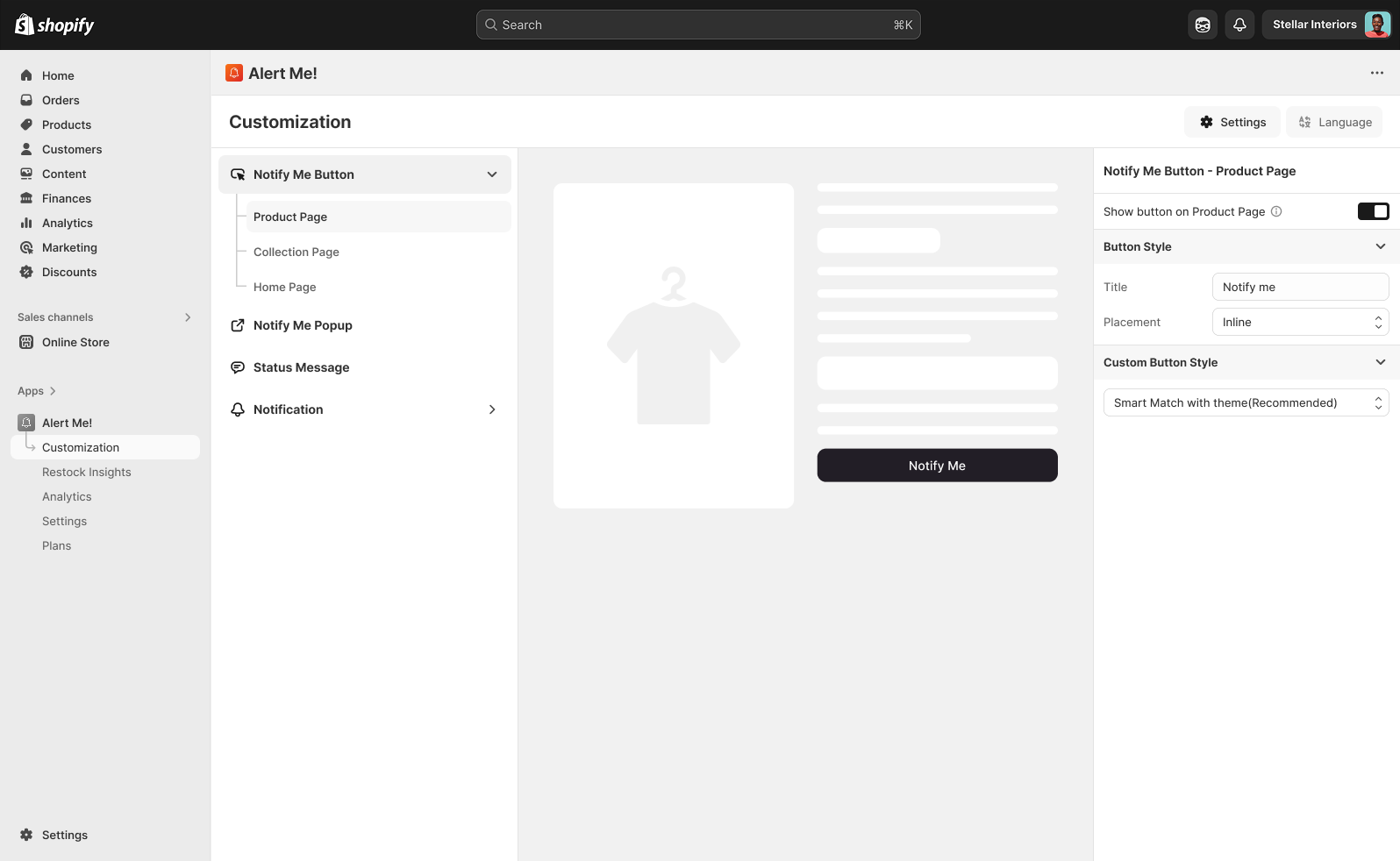
Decide where the Notify Me button appears across your storefront.

  • Show it on the product page (on by default)
  • Enable it on collection pages so shoppers can subscribe without clicking in
  • Enable it on the home page for featured or out-of-stock products

Position the button with an app block All plans

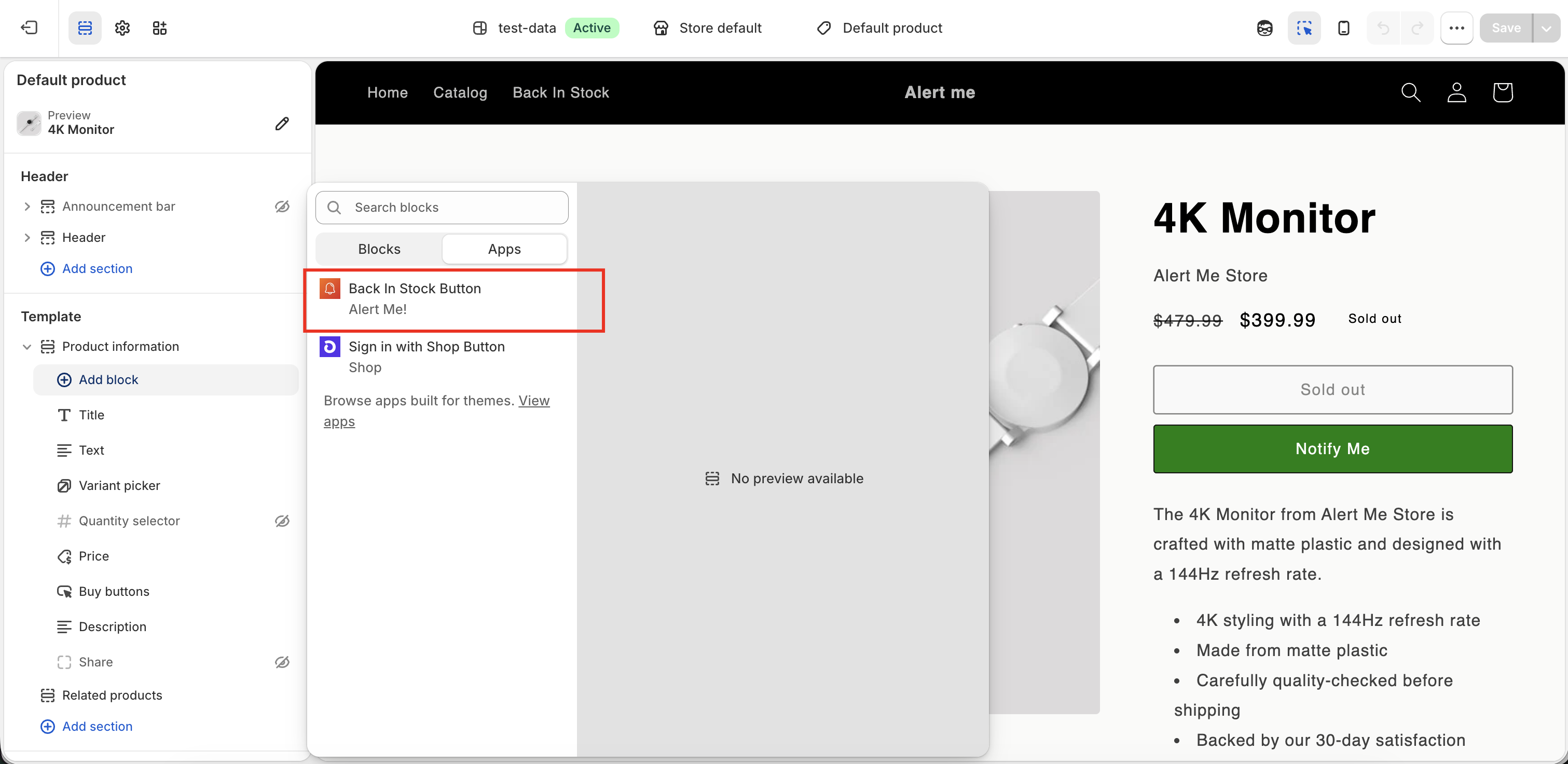
Want the Notify Me button somewhere specific on the product page, such as right under the price or below the variant picker? Add the Alert Me! app block and drag it into place. No theme code needed.

  • In your Shopify admin, go to Online Store → Themes → Customize
  • Open a product page template from the top dropdown
  • In the left panel, click Add block under the product section
  • Choose the Back In Stock Button - Alert Me! app block
  • Drag it to the exact position you want, then click Save
!

The app block gives you full control over placement. If you don't add one, the Notify Me button falls back to its default position automatically.
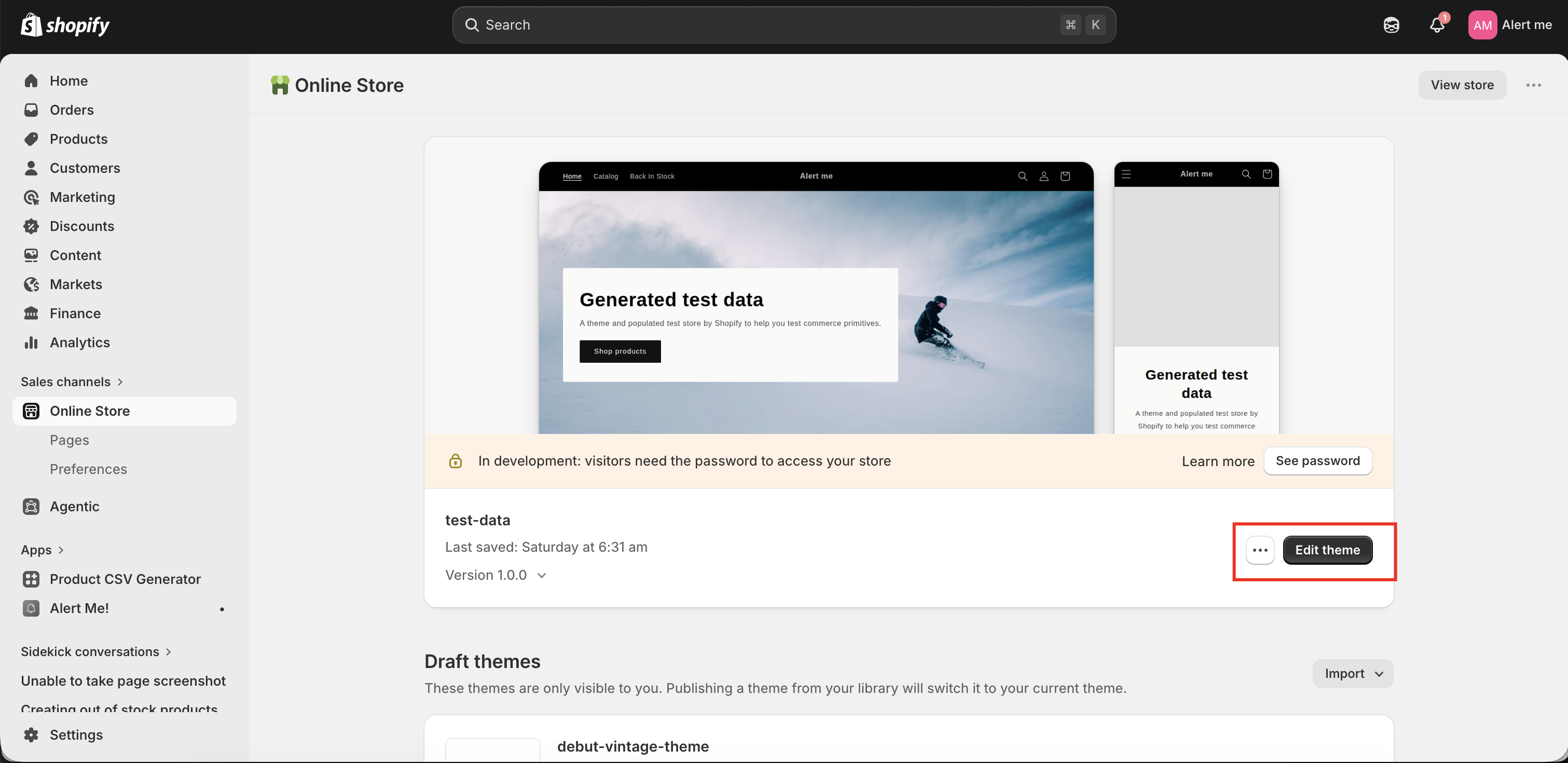
Add the Notify Me app block on the product page

Insights & subscribers All plans

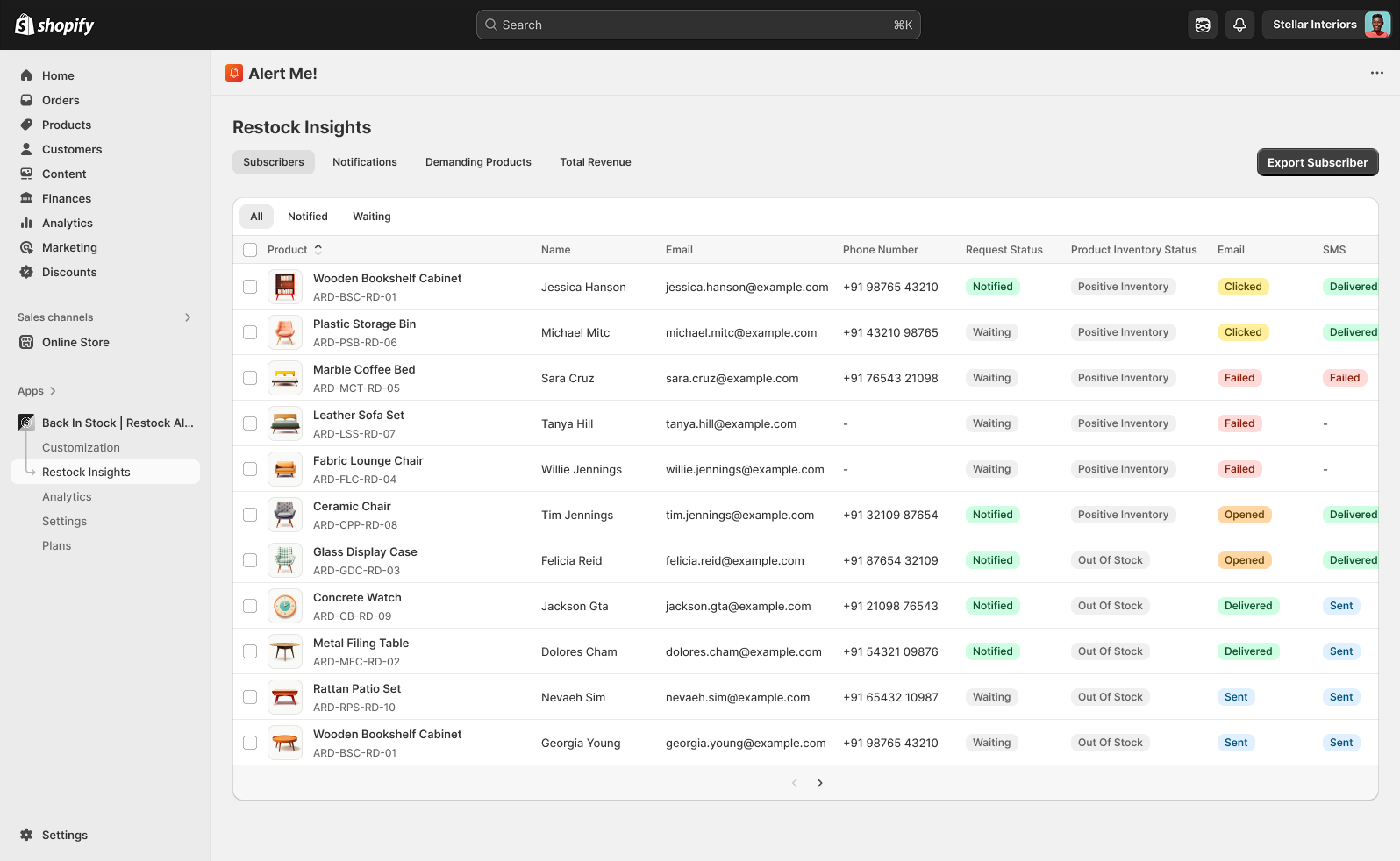
Open Restock Insights to see demand and manage everyone waiting on a product.

  • See your most-requested out-of-stock products, ranked by waiting subscribers
  • Review every subscriber with their product, channel, and status
  • Send a manual restock alert to a product's waiting list at any time
  • Track delivered, opened, and recovered-revenue performance
  • Export subscribers to CSV
Restock insights and subscribers

SMS & WhatsApp

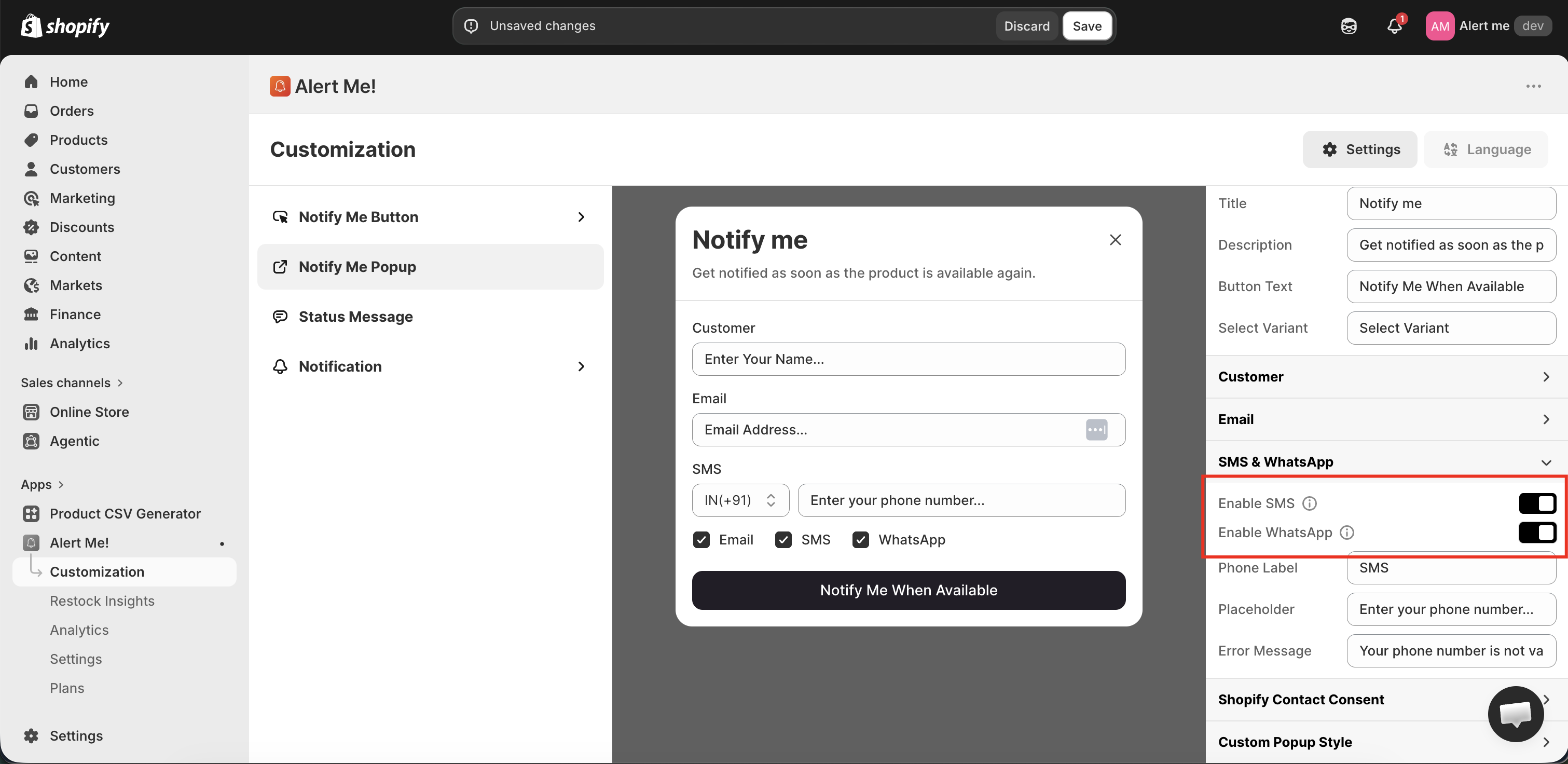
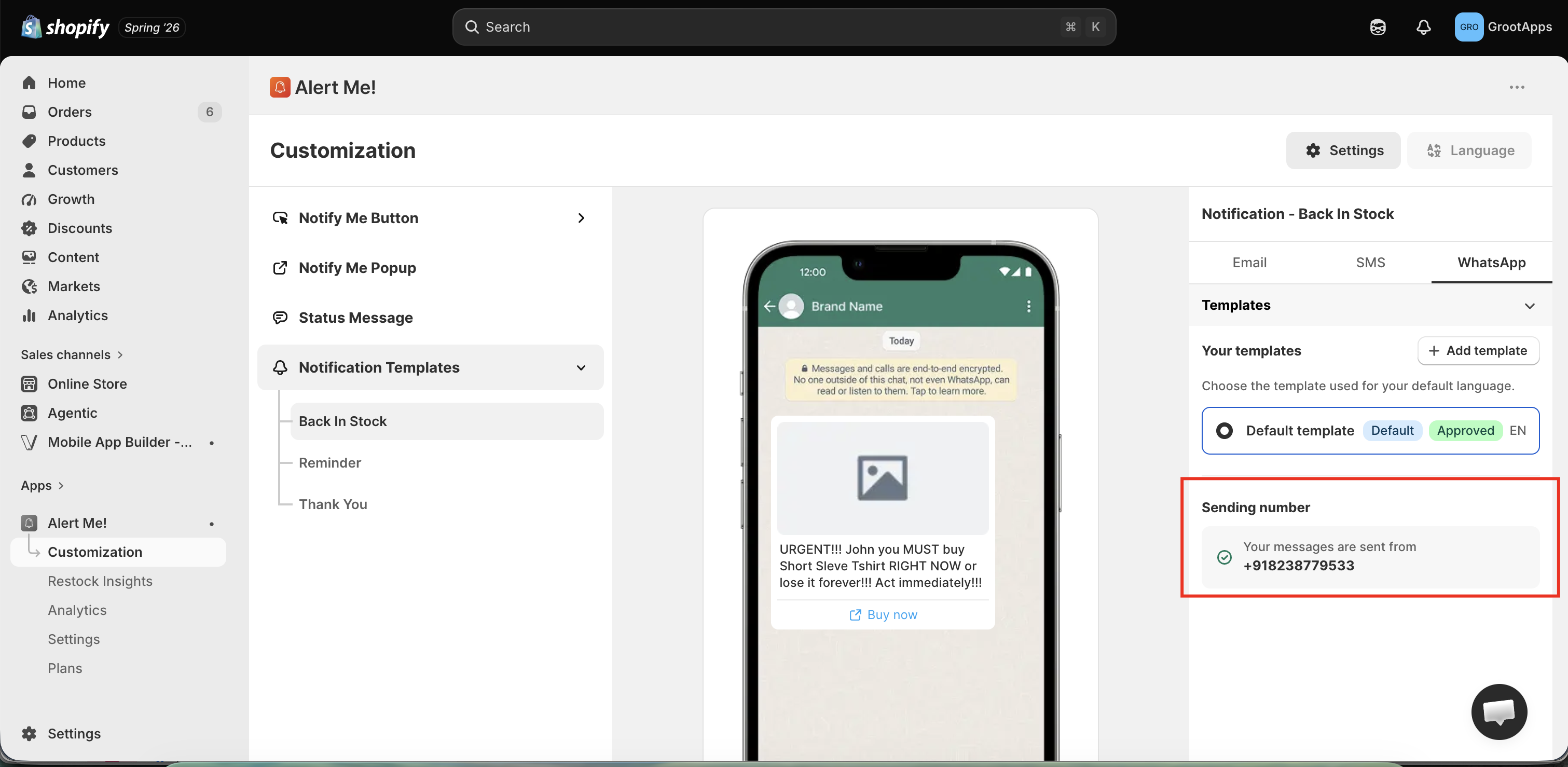
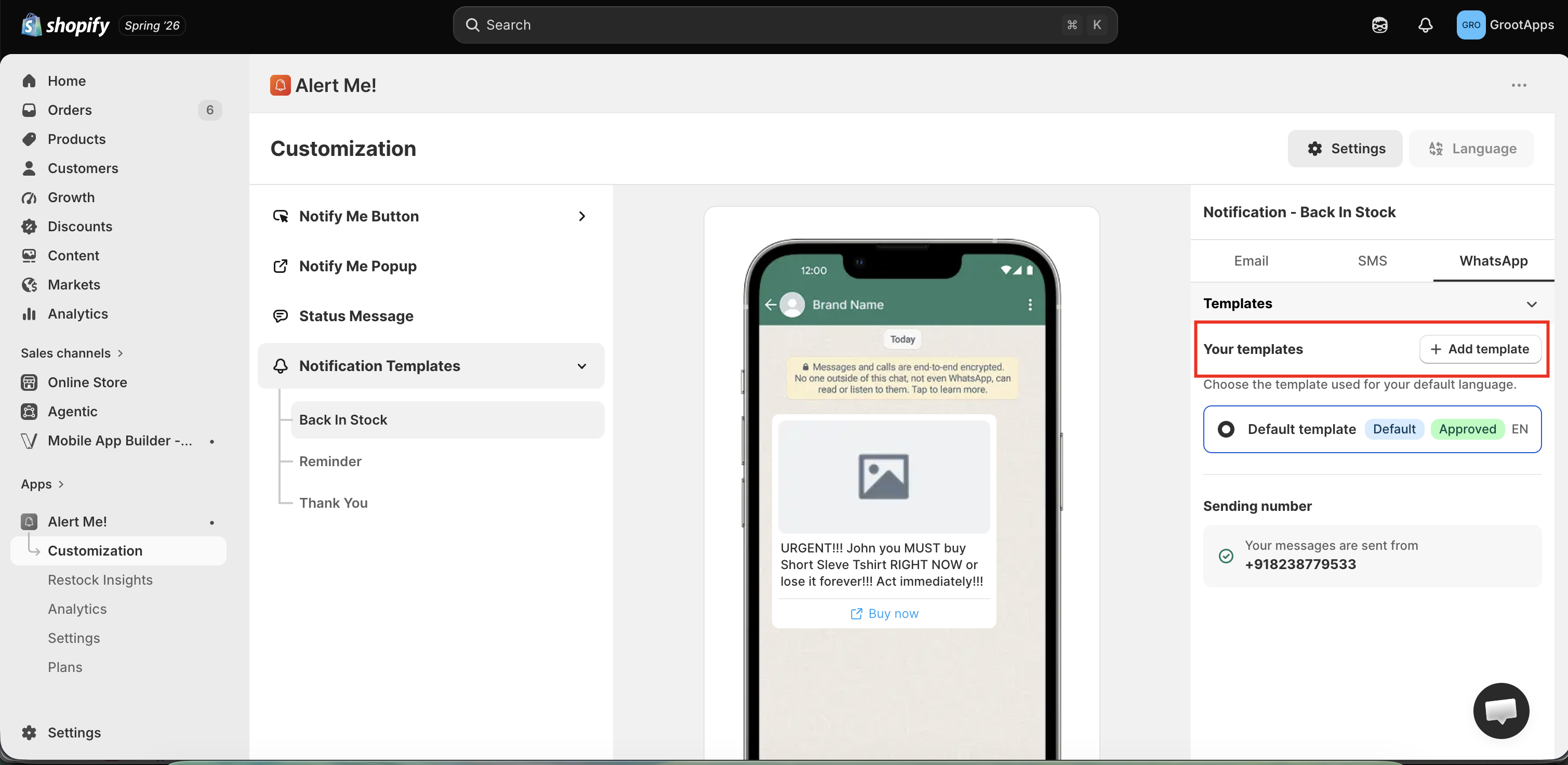
On the Starter plan and above, reach shoppers on SMS and WhatsApp alongside email. All channels share one subscriber list.

  • Enable SMS and/or WhatsApp from Customization
  • Edit the template for each channel
  • Set a per-channel thank-you message if you want one
!

SMS and WhatsApp pricing depends on the destination country. See full SMS pricing and WhatsApp pricing.

SMS and WhatsApp

Multiple languages All plans

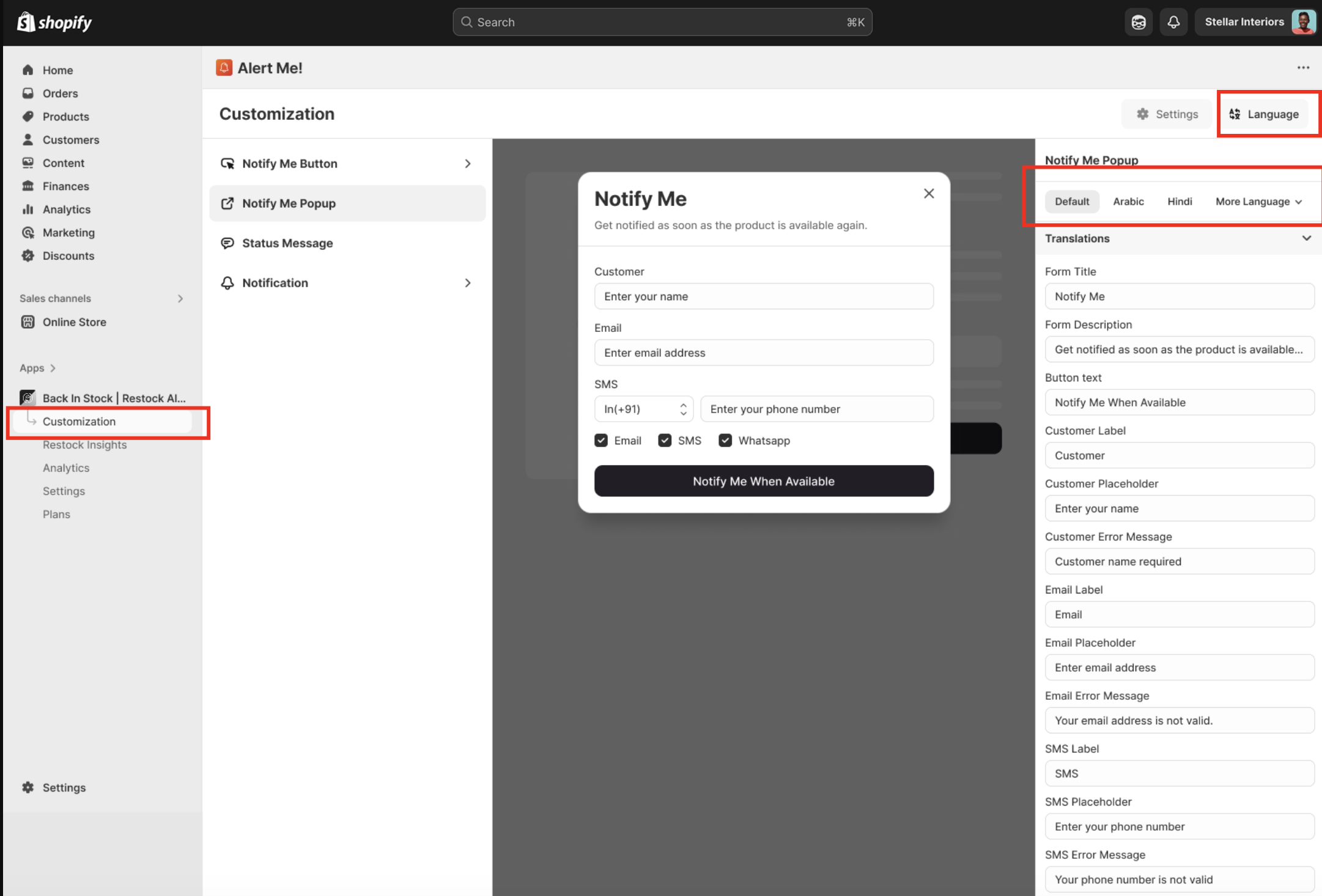
Selling in more than one language? Translate every shopper-facing string, the button, popup, status messages, and notification templates.

  • Open the Language panel in Customization
  • Add translations for each surface and message
  • Translations auto-detect from Shopify Markets where available
Languages

Custom email domain

Send alerts from your own domain (e.g. restock@yourstore.com) so emails look native and land in the inbox.

  • Go to Settings → General → Sender Email
  • Add your address and the SPF / DKIM DNS records we generate
  • Click Verify, your domain then becomes the default sender
!

DNS changes can take up to 24 hours to propagate. You can keep sending from the shared address until verification completes.
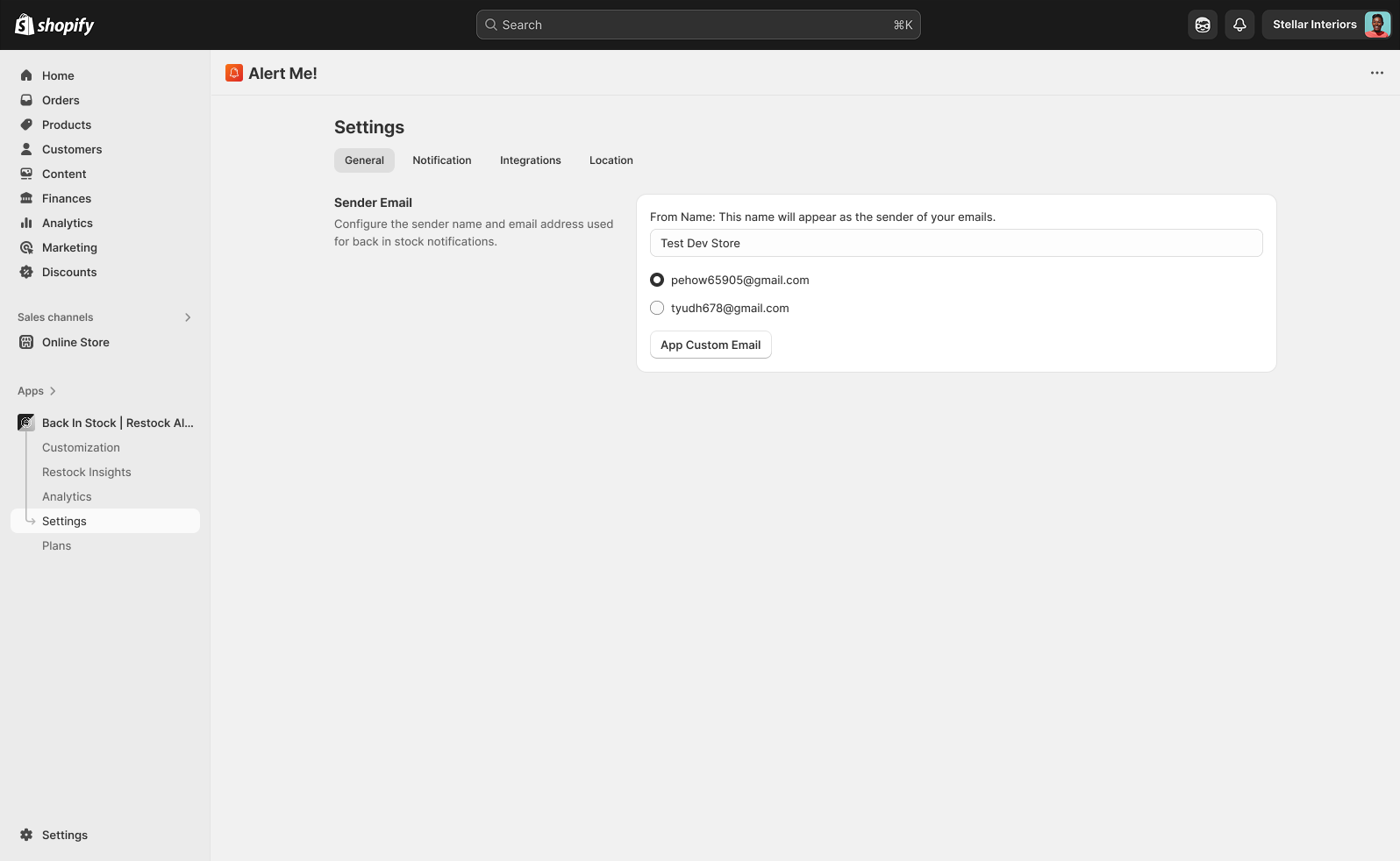
Custom email domain

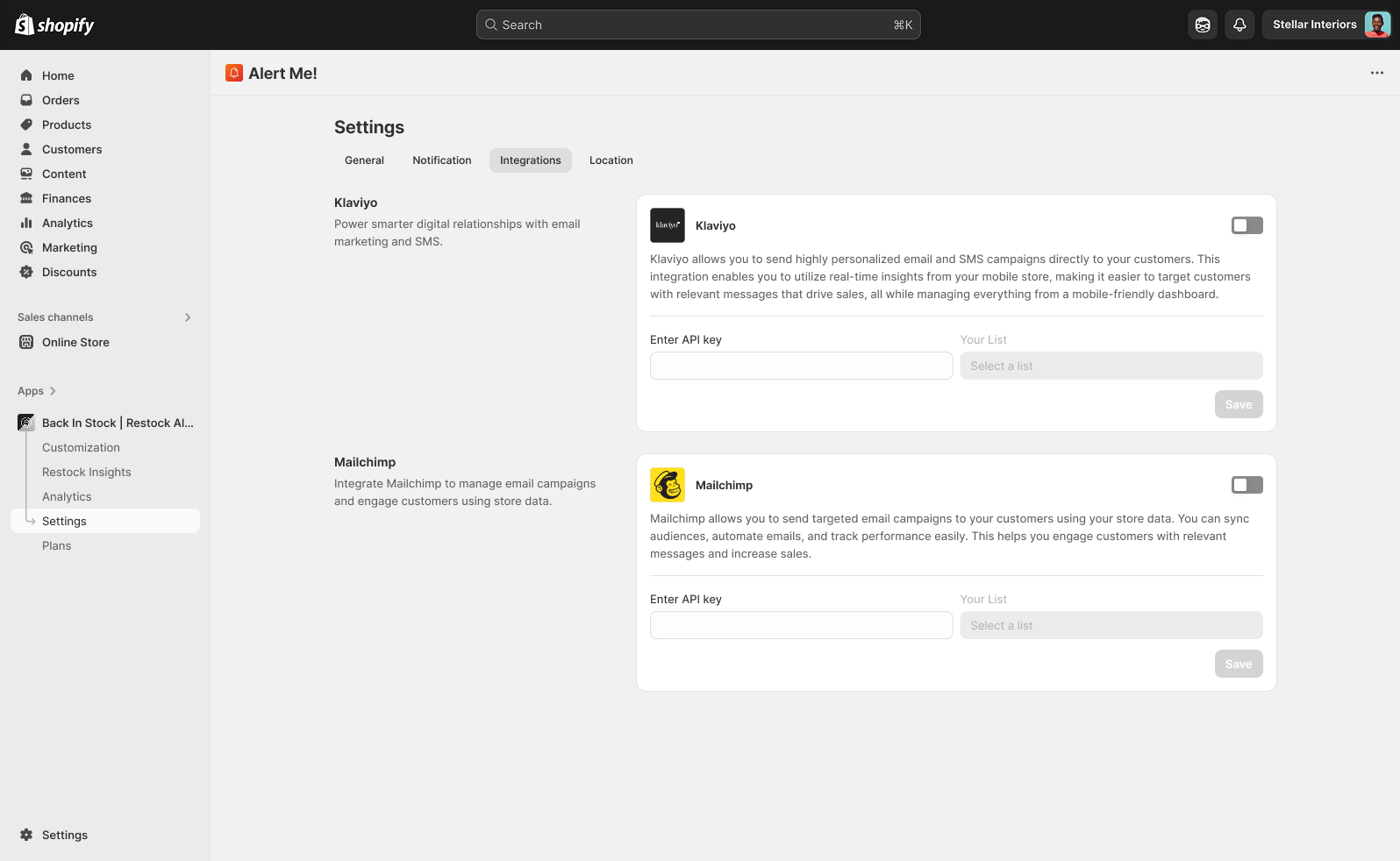
Integrate Klaviyo

Sync subscribers and restock events into Klaviyo to trigger flows, segment audiences, and report alongside the rest of your marketing.

  • Create a private API key in Klaviyo (Settings → API Keys)
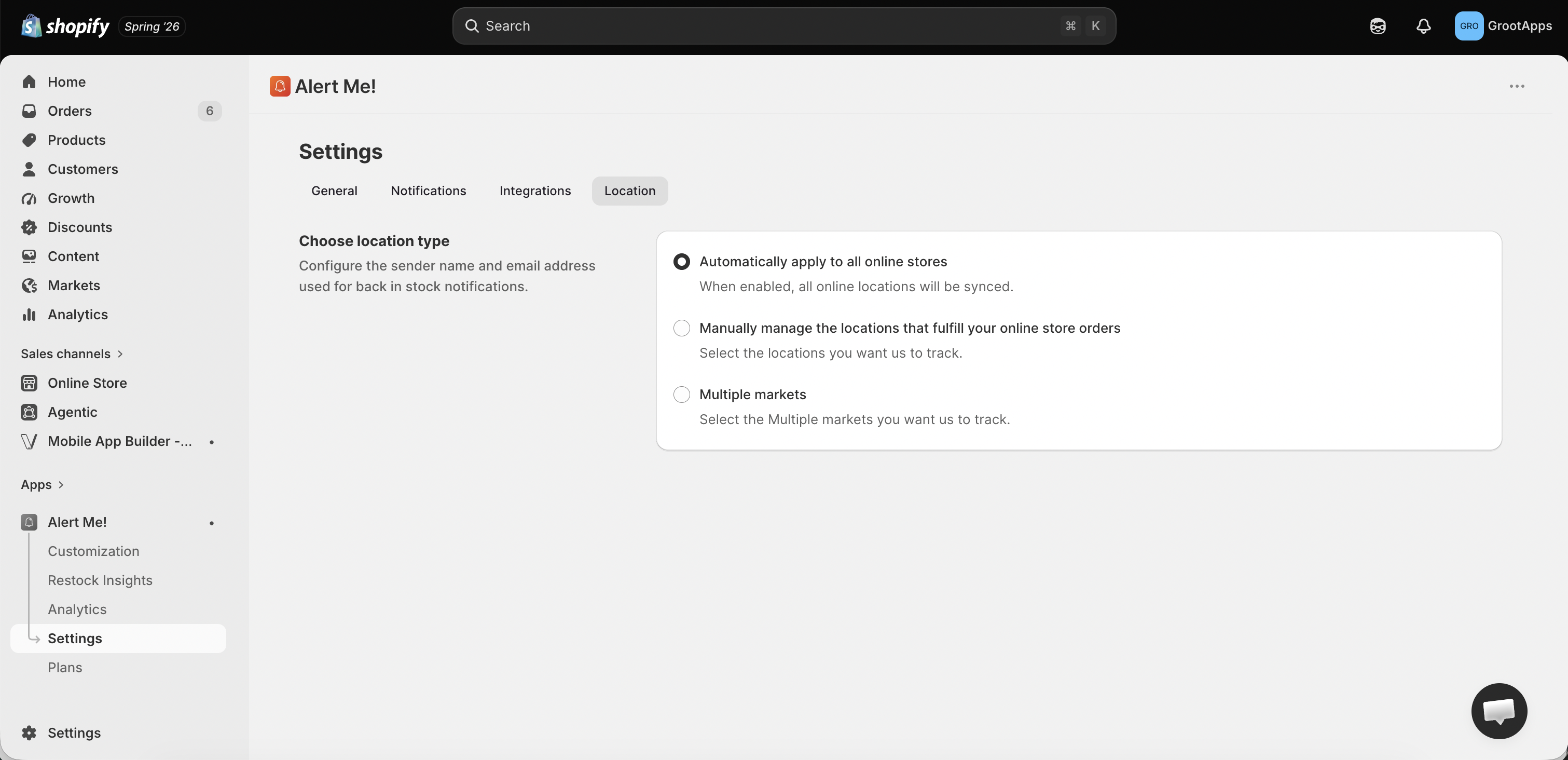
  • Go to Settings → Integrations → Klaviyo in Alert Me!
  • Paste the key, select the list to sync to, and click Save
Klaviyo integration
That's it — you're recovering sales.
Questions? Our team replies in minutes.
Setup FAQ

Common setup questions.

Do I need to edit my theme code?

No. Alert Me! installs through the Shopify app embed, so the Notify Me button and stock counter appear automatically. No Liquid edits, no developer needed.

The button isn't showing, what should I check?

Make sure the app embed is enabled on your published theme (Step 2), and that the product is actually out of stock with inventory tracking turned on. If it still doesn't appear, contact us and we'll take a look.

Will it match my store's design?

Yes. Smart-match adopts your theme's button style automatically, and you can override colors, text, and CSS in Customization.

Can your team set it up for me?

Absolutely. We offer free white-glove setup on every plan, including the Free plan. Book a demo and we'll do it together.

Which features need a paid plan?

The Free plan covers the Notify Me button, customization, reminder & thank-you alerts (up to 100 emails/month), locations, and translations. SMS, WhatsApp, a custom email domain, and Klaviyo all unlock on the Starter plan ($4.99/mo). Unlimited email alerts and subscriber export come with Standard ($14.99/mo).