 Low in Stock setup
Enable the embed and set one number. The counter reads live stock, so there is nothing to keep in sync afterwards.
The counter is delivered by a theme app embed, separate from the Back in Stock one. Until it is switched on in your published theme, nothing shows on the storefront.
Each module has its own embed. Having Back in Stock enabled does not enable this one, and the dashboard will say so if it finds the embed on a draft theme but not your live one.
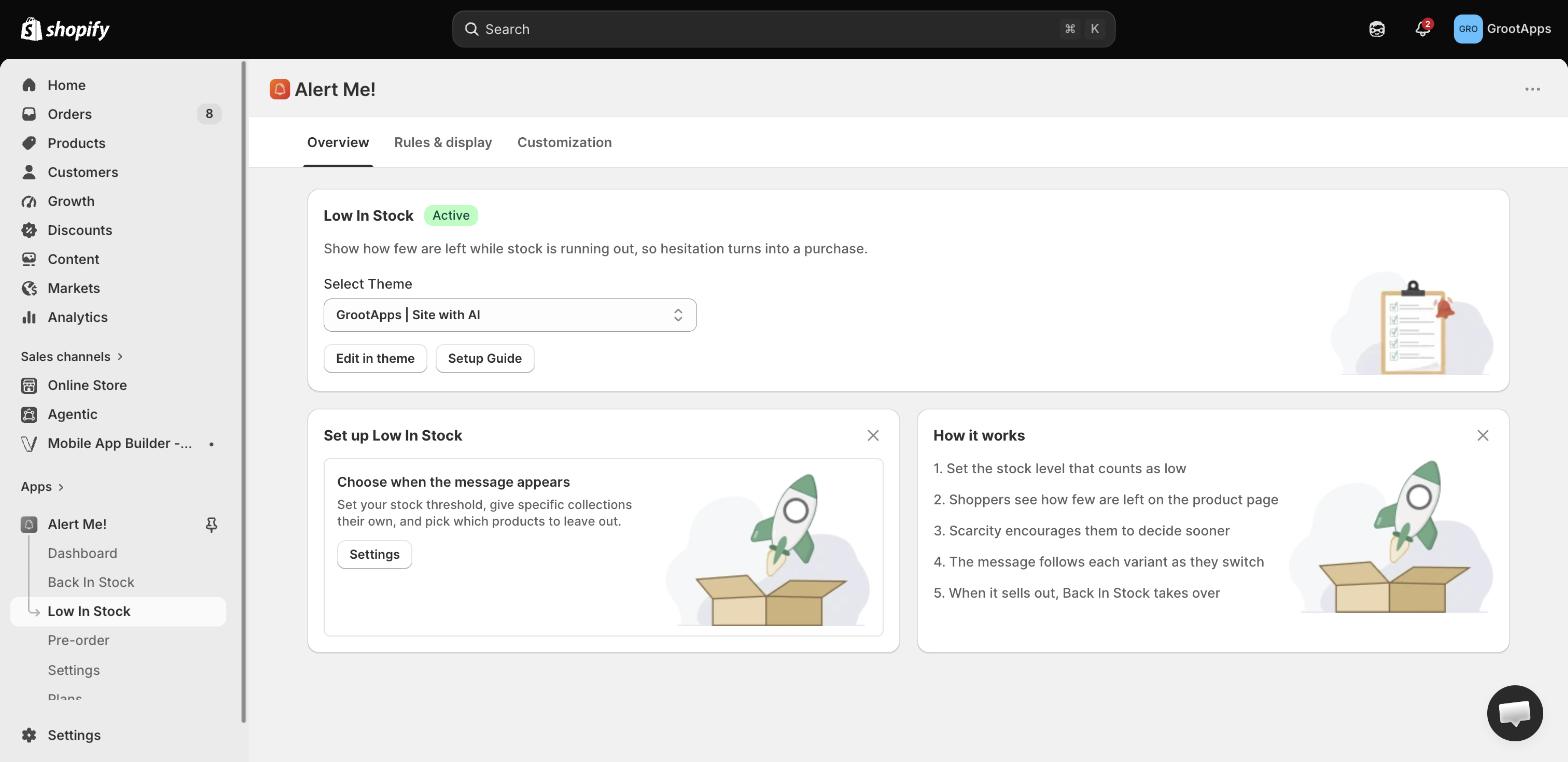
Low in Stock → Rules. The threshold is the number at which a product counts as low. At or below it, the low-stock message shows. Above it, it does not.
Pick a number that is true for your catalogue. A threshold of 50 on a store that stocks thousands makes every product look scarce, and shoppers stop believing any of it.
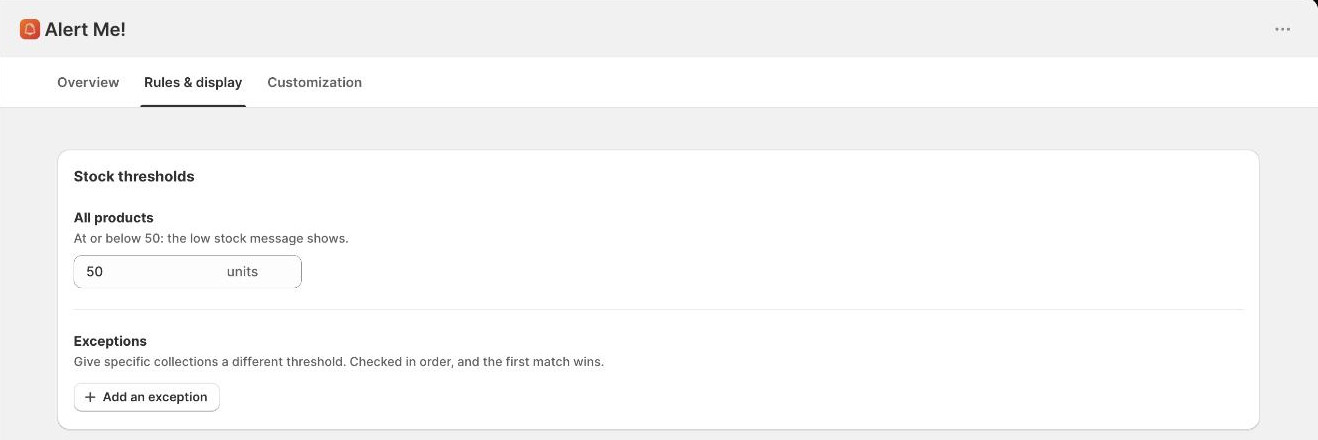
Your threshold is a boundary, not a single cutoff. Each side of it can say something, and each state has its own wording, icon and colour. Switch off any you do not want.
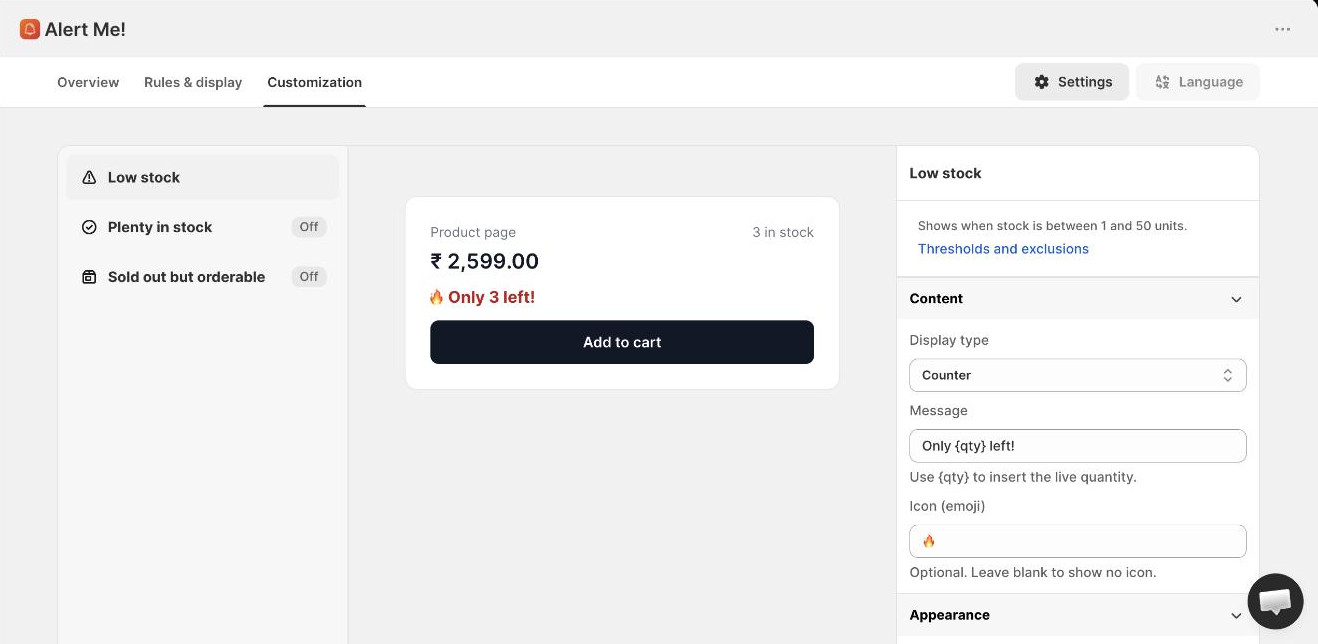
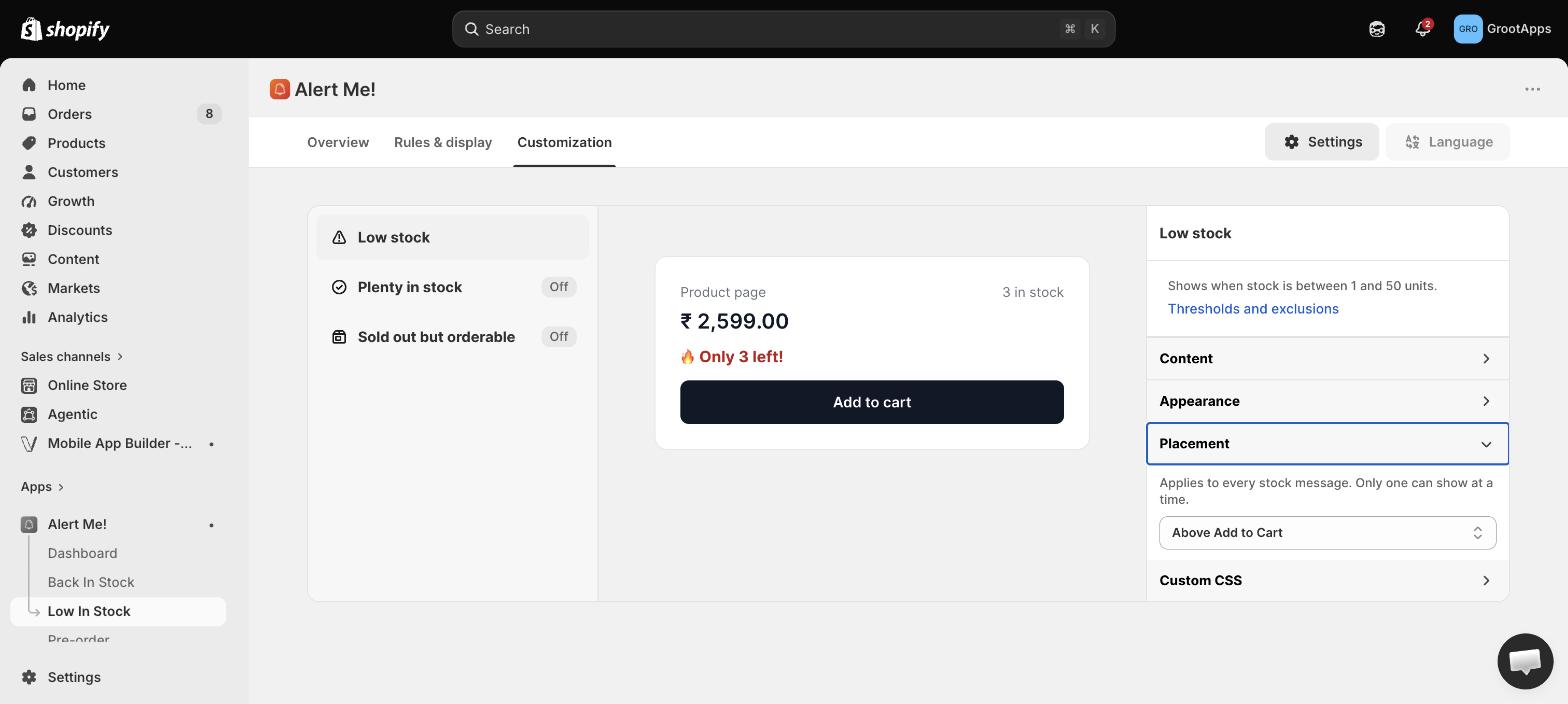
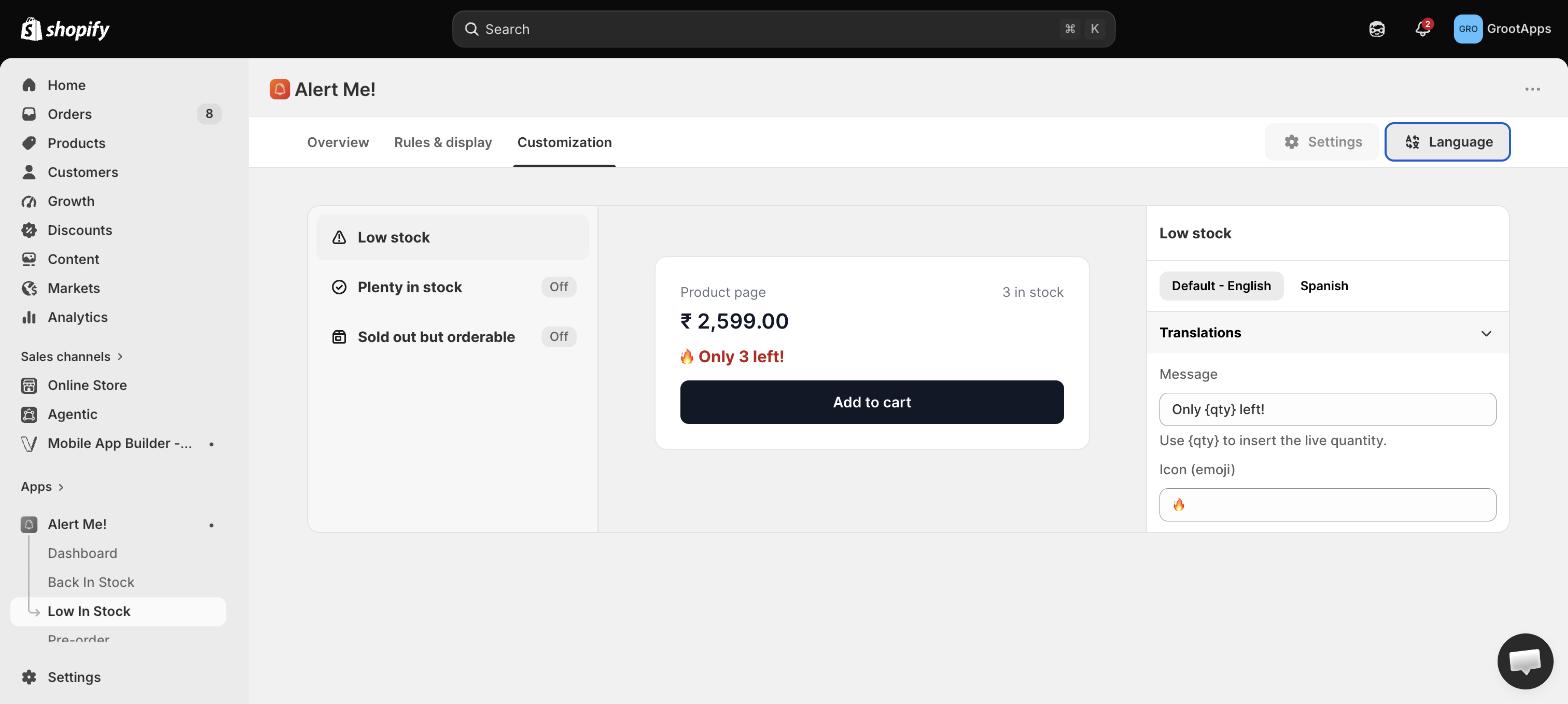
Low in Stock → Customization. The live preview updates as you edit.
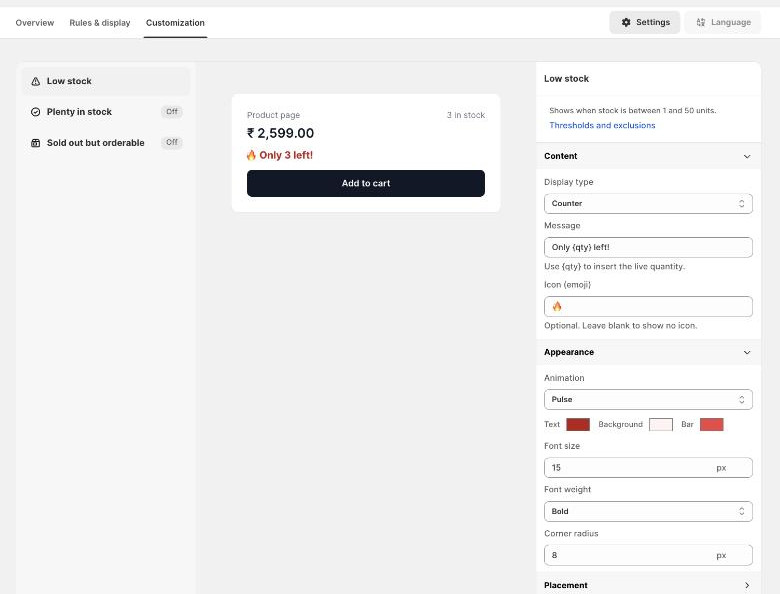
By default the message sits just above the add-to-cart button, which is where a shopper is already looking when they are deciding.
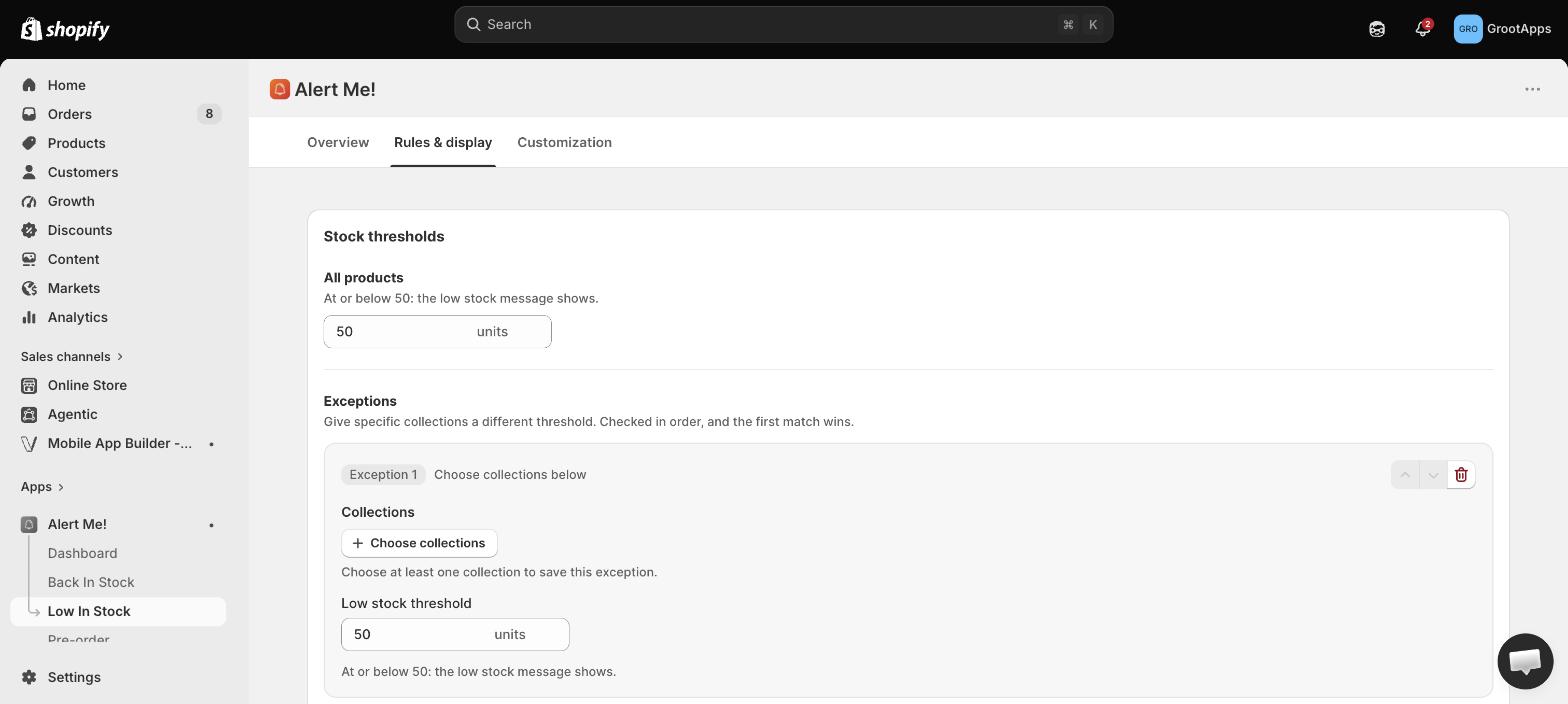
Some products should never look scarce. Made-to-order lines, gift cards, digital downloads, anything you never truly run out of.
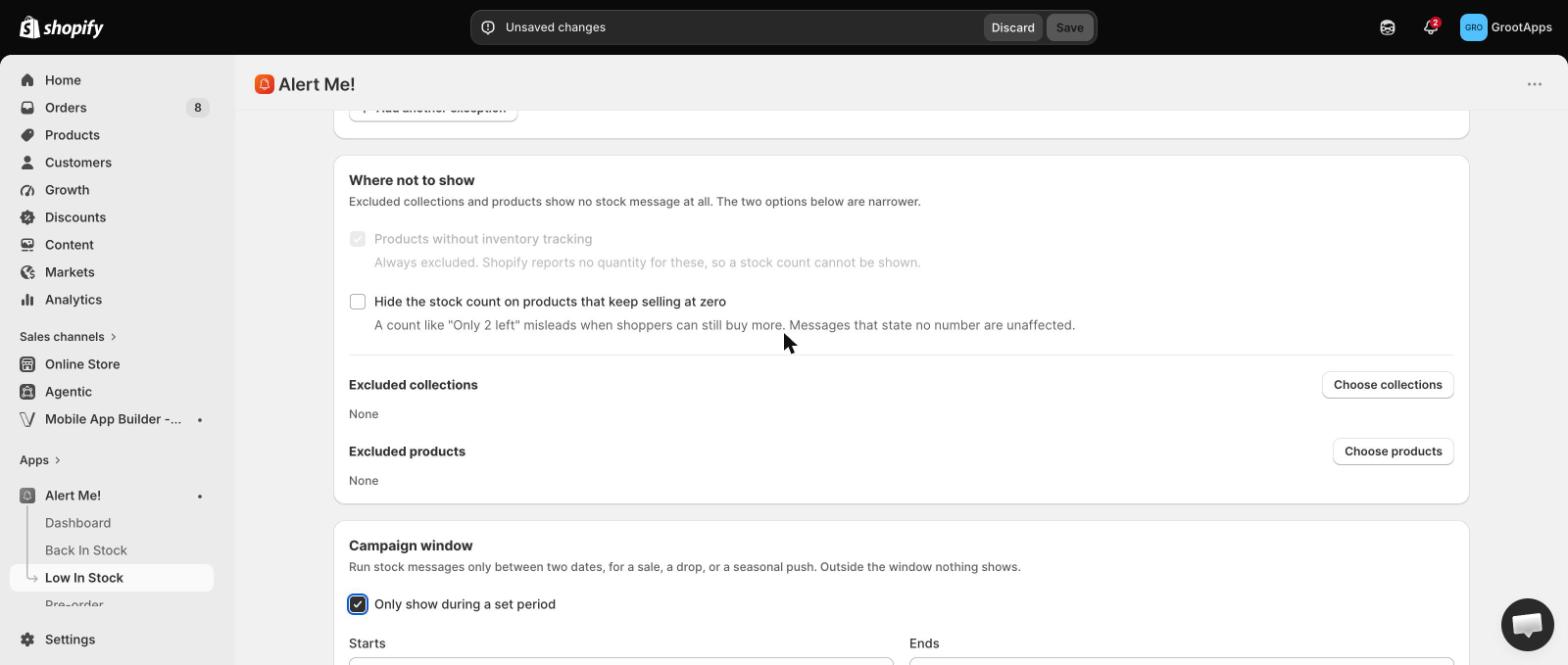
Ten units is nearly gone for a limited run and barely worth mentioning for pantry staples. Collection rules let each part of the catalogue use its own number.
If a product sits in two collections that both have rules, the higher rule in the list applies. Put your most specific collections at the top.
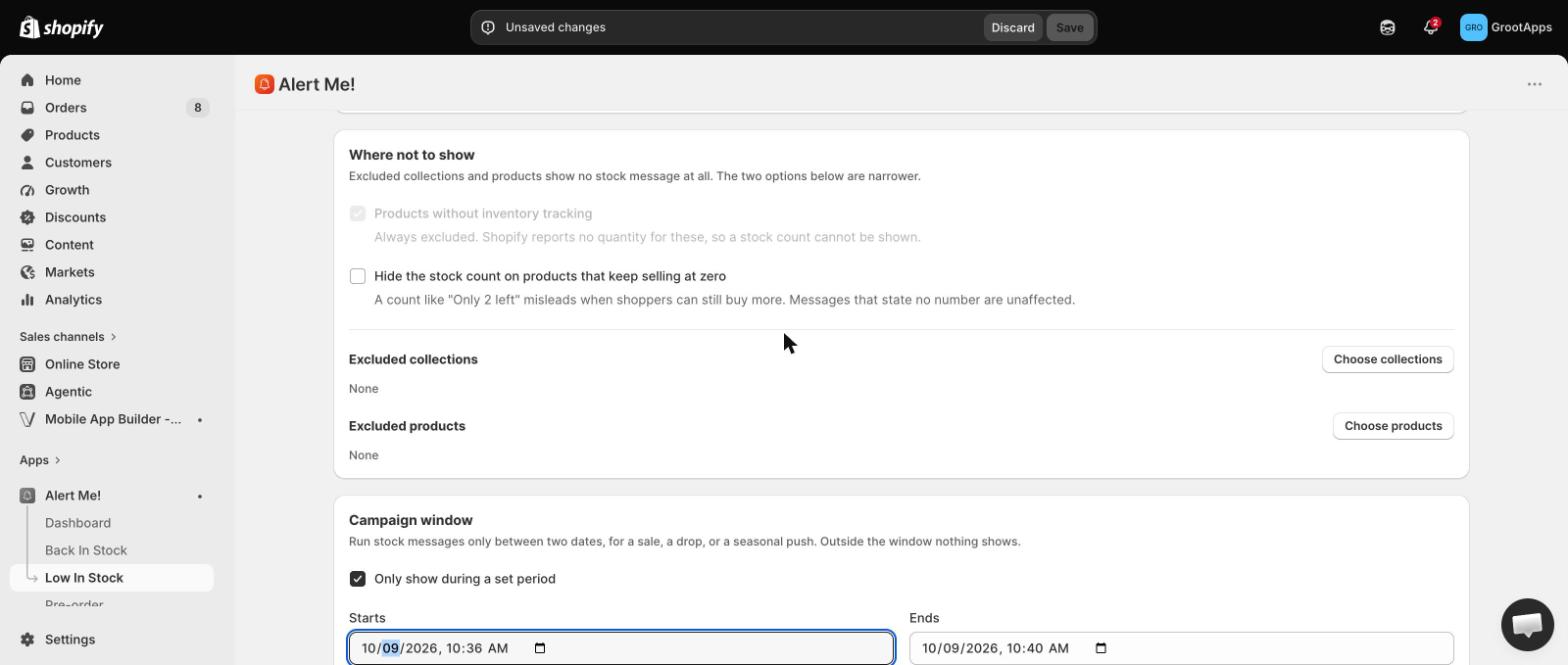
When the message belongs to a sale rather than to always, give it a start and an end date instead of remembering to switch it off afterwards.
Every word the counter shows can be translated, on every plan, for each language you sell in.
Always. It is read from live Shopify inventory at the moment the page loads. There is no way to show a fake count.
The counter is per variant. Check that the variant selected has inventory tracking on and that its own quantity is at or below your threshold.
Yes, on Starter and up. Exclude specific products or collections, and skip anything with tracking off or set to keep selling.
Free covers the threshold, all three states, every display type, placement and translations. Starter adds exclusions and scheduling. Standard adds per-collection thresholds.
 Alert Me!